
AI Agent Escalation Rules: When Your Automation Should Stop and Hand Off
By Erin Harris, AI Strategy & Business Transformation Consultant
An AI assistant can respond to a customer or employee in seconds. That does not mean it should make every decision in seconds.
The difference between a helpful automation and an unmanaged risk often comes down to a simple question: What is the system allowed to do when the request is outside its authority?
A UnitedHealth Group job posting dated November 6, 2026, offers a concrete example of why this matters. Its Senior Director, AI Enablement role includes designing HR workflows with approved policy logic, escalation rules, risk classifications, human oversight and explicit boundaries for advising, recommending, automating, escalating or stopping. The posting describes intended responsibilities, not verified results or an existing incident.
For smaller businesses, the practical lesson is not to copy a large enterprise's technology stack. It is to establish decision rights before giving software the ability to act.
Start with the action, not the chatbot
List what your proposed assistant will actually do. Answer FAQs? Draft responses? Look up a record? Schedule an appointment? Update a CRM field? Send an invoice? Each additional action changes the risk profile.
An assistant that explains a cancellation policy has different authority from one that issues refunds. The first retrieves approved information. The second changes a financial record. They should not share identical permissions merely because both use conversational AI.
A practical five-step escalation framework
1. Assign a workflow and policy owner
Name the person responsible for the business rule and the person responsible for the automation. They may be the same person in a small company, but the roles must be explicit. Record the source document, its last review date and who can approve changes.
2. Classify requests by risk and authority
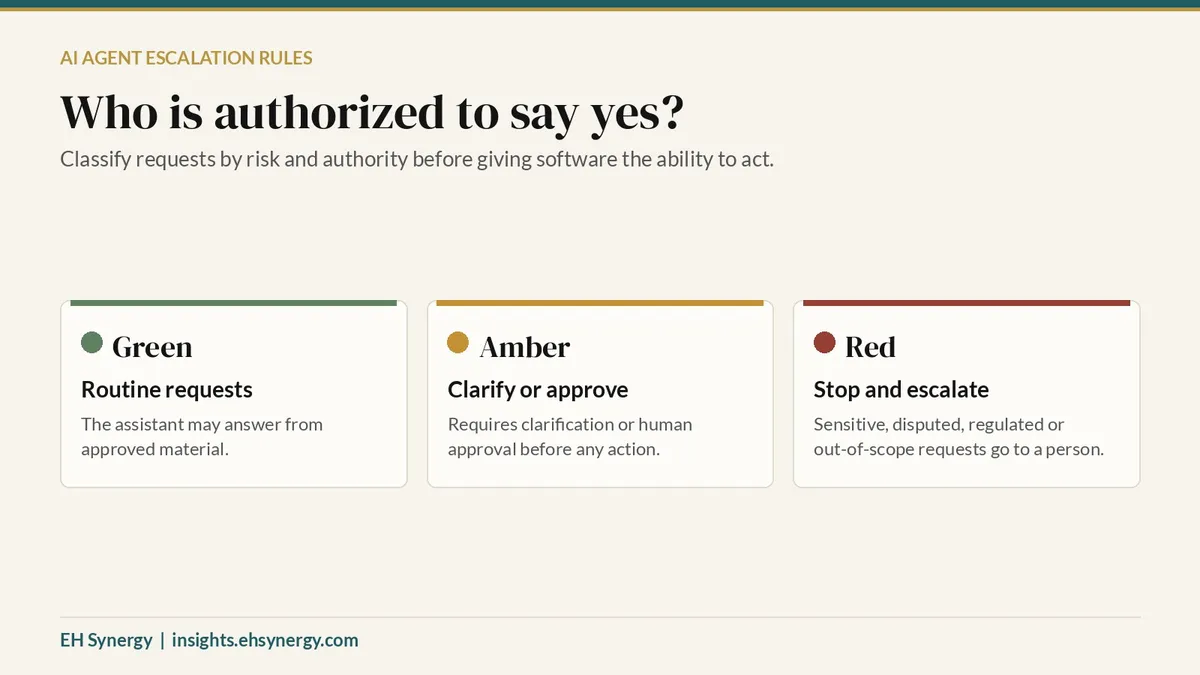
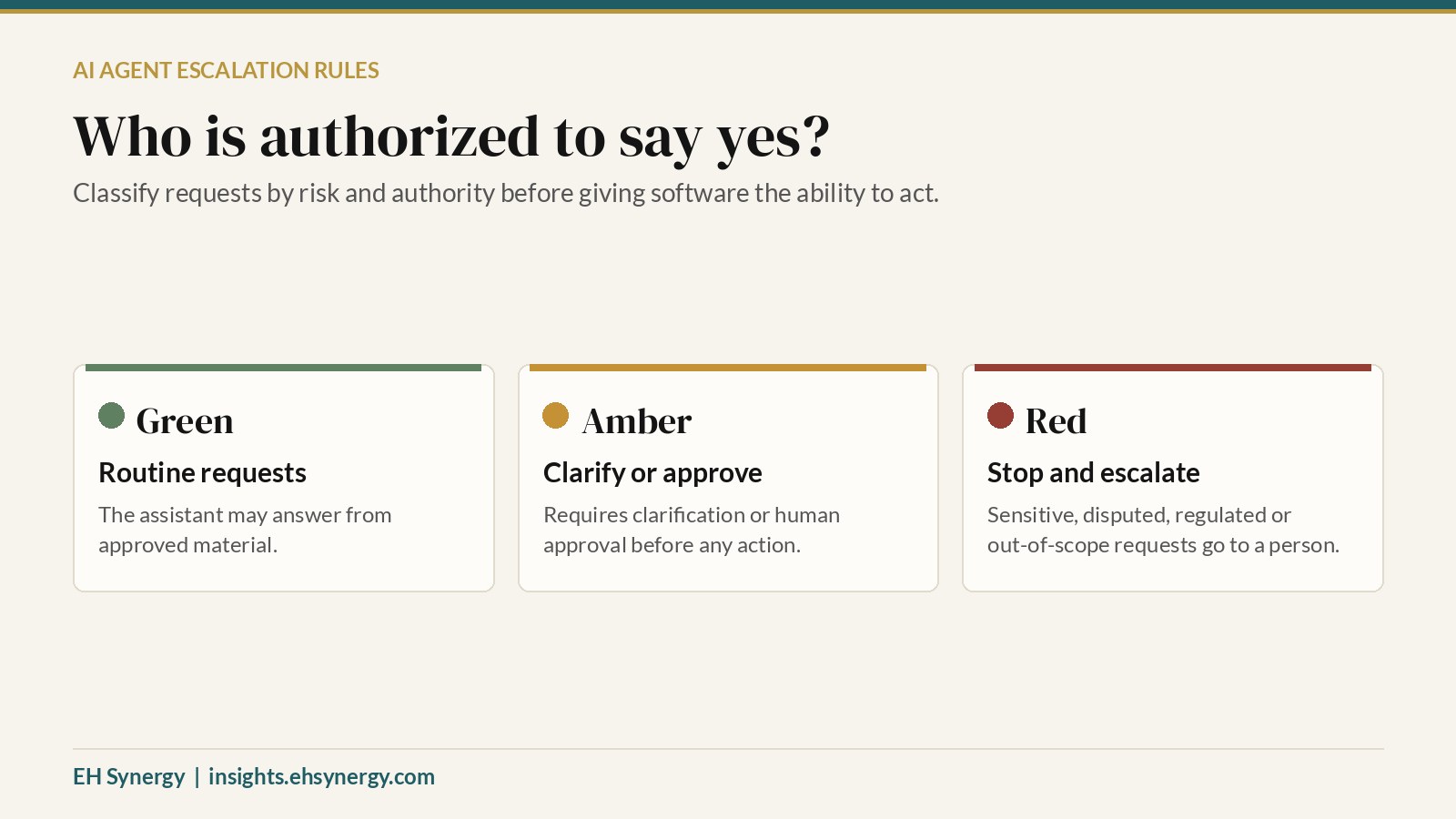
Create three categories. Green: routine requests the assistant may answer from approved material. Amber: requests requiring clarification or human approval before any action. Red: sensitive, disputed, regulated or out-of-scope requests that must stop and escalate. Test borderline cases rather than assuming a keyword filter will catch them all.
3. Design the handoff before launch
Specify who receives the escalation, what context is transferred, what data must be excluded, the expected response window and what the user sees. Avoid a dead-end message such as “contact support” without a working route. Log the handoff without unnecessarily retaining sensitive content.
4. Train and test the workflow
Use synthetic or redacted examples. Test ordinary questions, ambiguous wording, missing information, conflicting policies and attempts to request unauthorized actions. Train staff to recognize and resolve escalations. Check that an employee can override or suspend the workflow when necessary.
5. Measure outcomes and decide what changes
Record baseline handling time, completion rate, correction time, complaints and operating cost. After a limited pilot, review resolution quality, safe escalation rate, employee or customer satisfaction, rework, oversight time and total software cost. An escalation is not automatically a failure. A correctly routed sensitive request may be exactly the intended outcome.
Example: a service business handling refunds
Consider an illustrative home-maintenance company with a booking website. An AI assistant can explain standard cancellation windows and help a customer locate the refund request form. It should not independently promise an exception or issue an unusually large refund when the written policy requires managerial approval.
The process owner defines the rule. The assistant gathers only necessary information. The manager reviews exceptions. The business tracks how many requests were resolved correctly, how often exceptions needed correction and whether customers received timely follow-up. These are example design choices, not reported client results.
What a 30-day pilot should produce
At minimum, leave the pilot with a current policy source, a permission matrix, a tested escalation route, a named owner, employee instructions, and a short performance report. If the workflow cannot reliably recognize when to stop, restrict it to lower-risk tasks until the controls improve.
AI transformation is not measured by the number of tasks an agent can attempt. It is measured by the work it can complete responsibly, the decisions it knows to leave to people, and the business value that survives a full accounting of costs and corrections.
Before you expand an AI agent's permissions, ask: Who is authorized to say yes, and who is responsible when the answer should be no?
Source: UnitedHealth Group, Senior Director, AI Enablement, requisition 2398227: https://careers.unitedhealthgroup.com/job/eden-prairie/senior-director-ai-enablement-eden-prairie-mn/34088/102958118080